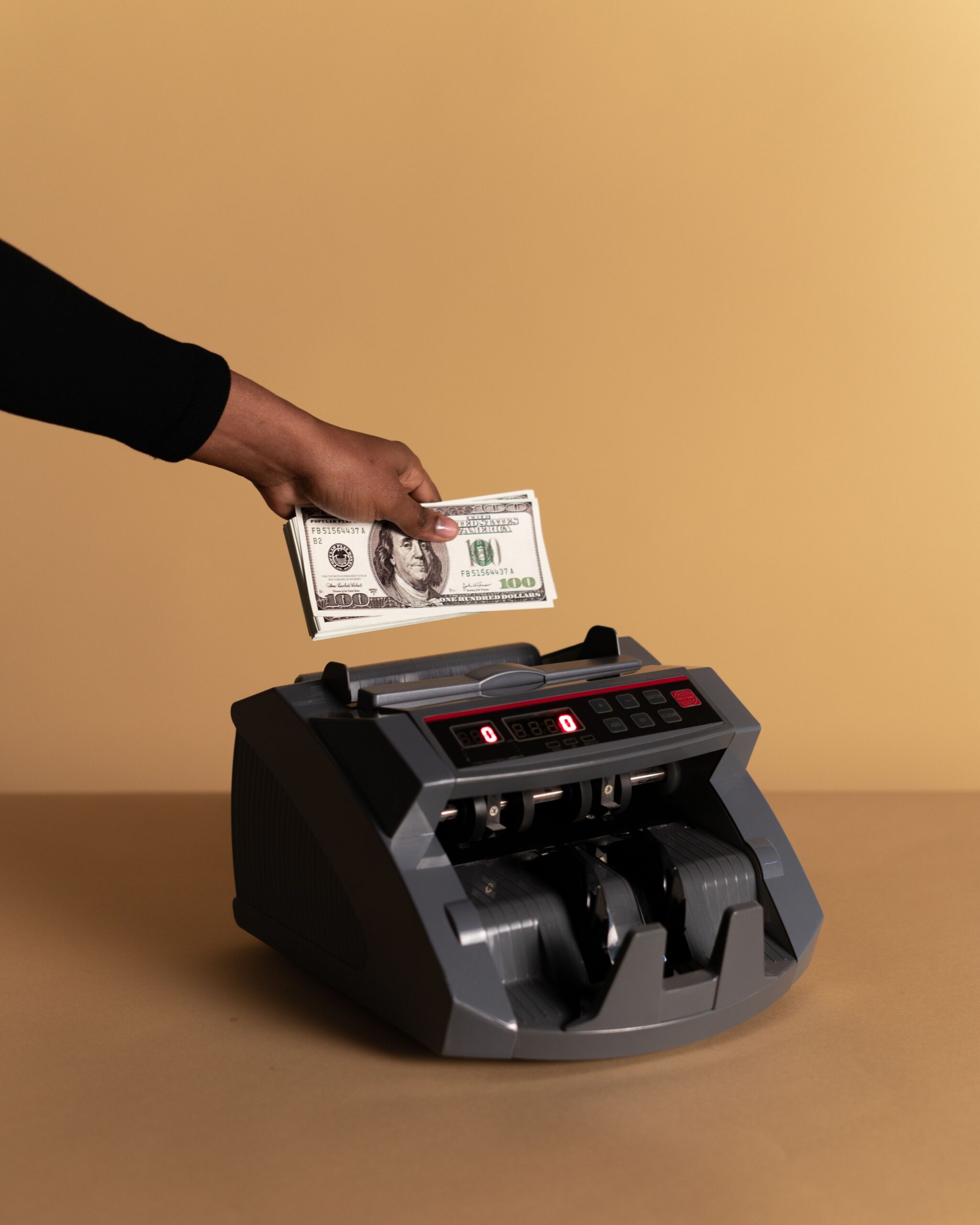
How to Automate Your Finances and Save Money Effortlessly in 2026
Meta Title: How to Automate Your Finances and Save Money Effortlessly in 2026
Meta Description: Learn how to automate your finances in 2026 with automatic savings, bill payments, debt repayment, investing, and sinking funds so you can save money consistently with less effort.
Suggested URL Slug: /how-to-automate-your-finances/
Managing money can feel like a never-ending series of decisions.
You get paid. Bills arrive. Subscriptions renew. Credit-card payments are due. Savings goals compete with everyday spending. Then, after everything is paid, you have to remember to transfer money into savings or investments.
It is easy to fall behind.
Fortunately, you don’t have to manually manage every financial task.
Financial automation allows you to set up systems that move, save, invest, and pay your money according to a plan you establish in advance.
Instead of relying on motivation every month, you can create a system that handles many routine financial tasks automatically.
This doesn’t mean you should completely ignore your finances. Automation works best when combined with regular reviews. But once the system is properly configured, it can dramatically reduce the number of financial decisions you need to make.
In this guide, you’ll learn how to automate your finances and save money effortlessly in 2026, including how to automate your paycheck, savings, bills, debt payments, investments, sinking funds, and retirement contributions.
You’ll also learn how to avoid common automation mistakes and build a financial system that can adapt as your income and goals change.
What Does It Mean to Automate Your Finances?
Automating your finances means setting up recurring transfers, payments, and contributions so they happen automatically according to a schedule.
For example, you could arrange for:
Paycheck → Checking account → Savings → Investments → Bills
Instead of manually moving money every payday, your banking and financial accounts perform those actions automatically.
Common examples include:
- Automatic savings transfers
- Automatic bill payments
- Automatic credit-card payments
- Automatic retirement contributions
- Automatic investment contributions
- Automatic sinking-fund transfers
- Automatic debt payments
- Automatic transfers between checking and savings
The purpose is simple:
Make good financial behavior automatic.
Why Automating Your Finances Works
Human behavior is inconsistent.
You may intend to save $500 every month, but unexpected expenses, busy schedules, shopping opportunities, or simple forgetfulness can interfere.
Automation removes some of those decisions.
Suppose you receive $4,000 after taxes each month.
Without automation, you might spend throughout the month and then attempt to save whatever remains.
With automation, you might transfer $400 to savings immediately after payday.
Now your savings goal is funded before the money becomes available for discretionary spending.
This is sometimes described as “paying yourself first.”
The Consumer Financial Protection Bureau notes that automatic recurring transfers can make saving easier by moving money into savings consistently. (consumerfinance.gov)
The Main Benefits of Financial Automation
1. You Save Consistently
You don’t have to remember to transfer money every month.
2. You Reduce Temptation
Money designated for savings can be moved out of your spending account automatically.
3. You Avoid Missed Payments
Automatic bill payments can help prevent late payments when properly configured.
4. You Reduce Financial Decision Fatigue
You make the decision once rather than repeatedly.
5. You Build Better Habits
Consistent contributions can accumulate over time.
6. You Can Build Wealth Automatically
Savings and investment contributions can happen without requiring a manual action every payday.
Automation Doesn’t Mean “Set It and Forget It”
One important warning:
Automating your finances does not mean ignoring your accounts.
You should still review your finances regularly.
Automation can create problems if:
- Your income changes
- Your bank balance becomes too low
- A bill increases
- A subscription renews at a higher price
- You cancel a service but the payment continues
- Your savings goal changes
- Your investment allocation becomes inappropriate
- An account is closed
- A payment date changes
The ideal system is:
Automate routine actions + review the system regularly.
Think of automation as cruise control, not autopilot.
Step 1: Create a Financial Dashboard
Before automating anything, understand where your money currently goes.
Make a list of:
- Bank accounts
- Credit cards
- Loans
- Savings accounts
- Retirement accounts
- Investment accounts
- Recurring bills
- Subscriptions
- Insurance payments
- Savings goals
You can use a spreadsheet or budgeting application.
A basic dashboard might look like this:
| Account/Expense | Amount | Frequency | Automatic? |
|---|---|---|---|
| Rent | $1,500 | Monthly | Yes |
| Electricity | $120 | Monthly | Yes |
| Internet | $70 | Monthly | Yes |
| Car insurance | $150 | Monthly | Yes |
| Retirement | $400 | Monthly | Yes |
| Emergency savings | $300 | Monthly | Yes |
| Vacation fund | $150 | Monthly | Yes |
This gives you a complete picture before you start changing anything.
Step 2: Determine Your Monthly Income
Calculate how much money reliably enters your accounts.
If you have a salary, this may be relatively straightforward.
If you have variable income, use a conservative estimate based on your typical income.
For example:
Average monthly income: $5,000
You could create your core automated system around a lower amount, such as $4,500, and use higher-income months for additional savings or debt repayment.
This reduces the risk of creating automatic transfers that exceed your available cash.
Step 3: Build a Basic Monthly Budget
Automation works best when it is built around a budget.
Your budget should identify:
- Essential expenses
- Debt payments
- Savings
- Investments
- Discretionary spending
- Irregular expenses
For example:
| Category | Monthly Amount |
|---|---|
| Housing | $1,500 |
| Utilities | $250 |
| Food | $500 |
| Transportation | $400 |
| Insurance | $250 |
| Debt payments | $300 |
| Savings | $500 |
| Investments | $400 |
| Discretionary | $400 |
| Miscellaneous | $200 |
| Total | $4,700 |
If income is $5,000, you have approximately $300 remaining for additional goals or flexibility.
For more information, add an internal link to:
How to Create a Monthly Budget (Internal Link)
Step 4: Automate Your Savings First
One of the most powerful financial automations is a recurring savings transfer.
Suppose you want to save $6,000 per year.
That’s:
$6,000 ÷ 12 = $500 per month
Set up an automatic transfer of $500 from checking to savings each month.
If you’re paid twice per month:
$500 ÷ 2 = $250 per paycheck
Now your annual savings goal becomes a routine transaction.
How Much Should You Automate Into Savings?
There is no universal percentage that works for everyone.
Your ideal savings rate depends on:
- Income
- Housing costs
- Debt
- Family responsibilities
- Financial goals
- Age
- Emergency reserves
- Retirement needs
A useful approach is to start with an amount you can sustain.
Saving $200 every month consistently is better than setting an unrealistic $800 transfer that causes you to overdraft or move money back into checking.
You can increase the amount later.
Step 5: Create Separate Savings Buckets
Instead of putting all your savings into one generic account, consider giving different goals their own categories.
Examples include:
- Emergency fund
- Car repairs
- Vacation
- Holidays
- Home repairs
- Taxes
- Education
- New computer
- Insurance
- Annual bills
For example:
| Goal | Monthly Contribution |
|---|---|
| Emergency fund | $250 |
| Car maintenance | $100 |
| Vacation | $150 |
| Holidays | $75 |
| Home repairs | $100 |
| Total | $675 |
If your bank supports savings buckets, you may be able to manage these categories within one savings account.
Step 6: Automate Your Sinking Funds
Sinking funds are particularly easy to automate.
Suppose you know that you need:
$1,200 for car insurance in 12 months.
Save:
$1,200 ÷ 12 = $100 per month.
Set up an automatic transfer of $100 each month.
By the time the bill arrives, the money is already available.
This turns a large future expense into a predictable monthly savings requirement.
For a more detailed explanation, add:
How to Create a Sinking Fund for Large Expenses (Internal Link)
Step 7: Automate Your Emergency Fund
Your emergency fund can also be funded automatically.
For example:
$250 every payday
or:
$500 on the first day of each month
The best schedule is the one that matches your cash flow.
The CFPB recommends setting a specific savings goal and considering automatic recurring transfers as a way to make savings consistent. (consumerfinance.gov)
You can read the official guidance here:
Consumer Financial Protection Bureau — Saving
Step 8: Automate Your Bills
Recurring bills are another excellent candidate for automation.
Possible bills include:
- Rent or mortgage
- Utilities
- Internet
- Phone
- Insurance
- Student loans
- Car payments
- Subscription services
There are generally two approaches.
Option 1: Automatic Payment From Your Bank
You schedule a recurring payment from your checking account.
Option 2: Autopay Through the Company
The company automatically charges your bank account or card.
Both can work.
The key is making sure you maintain enough money in the payment account.
Should You Use Autopay for Everything?
Not necessarily.
Autopay can be convenient, but you should be cautious with bills that fluctuate substantially.
For example, a utility bill can change from:
$80 → $180
If you don’t monitor your account, the higher payment could interfere with other automated transfers.
For variable bills, consider:
- Autopay plus monthly review
- Alerts before payment
- A separate bill-payment account
- Maintaining a cash buffer
Step 9: Automate Credit-Card Payments
Automatic credit-card payments can help prevent missed payments.
One conservative approach is to automate at least the required minimum payment while manually reviewing the statement and paying more when appropriate.
If you use a credit card for regular spending and pay the balance in full, you may choose to automate the full statement balance if your cash flow is reliable and the issuer’s settings allow it.
The important thing is to avoid assuming that automation removes the need to monitor the account.
Review:
- Current balance
- Statement balance
- Interest charges
- Fees
- Unauthorized transactions
- Changes in payment amount
Automation protects against forgetfulness, not overspending.
Step 10: Automate Debt Payments
Debt repayment can also be automated.
Suppose you have:
- Credit card: $5,000
- Personal loan: $8,000
- Student loan: $20,000
You could automate the required payments on all accounts.
Then direct additional money toward your chosen priority debt.
Two popular strategies are:
Debt Avalanche
Pay extra toward the debt with the highest interest rate.
Debt Snowball
Pay extra toward the smallest balance first.
The mathematically optimal approach can depend on interest rates, fees, and circumstances, while the snowball approach may provide behavioral motivation.
The most important thing is creating a sustainable system.
Internal link:
Debt Snowball vs. Debt Avalanche: Which Is Better? (Internal Link)
Step 11: Automate Retirement Contributions
Retirement savings are particularly well suited to automation.
If your employer offers a retirement plan, contributions can often be deducted directly from your paycheck.
This has an important psychological advantage:
The money may never reach your checking account.
Instead, it goes directly toward your retirement goal.
For U.S. workers, retirement-plan limits change over time. The IRS publishes current contribution limits and related adjustments. For 2026, the IRS lists the employee contribution limit for many 401(k), 403(b), and governmental 457 plans at $24,500, and the IRA contribution limit at $7,500, subject to applicable rules. (irs.gov)
External link:
IRS — 2026 Retirement Plan Contribution Limits
Always verify the current rules and your employer’s plan details.
Step 12: Automate Investing
After establishing an appropriate cash reserve and addressing relevant high-interest debt, you may automate long-term investment contributions.
For example:
$300 every two weeks → brokerage account
or:
$500 per month → retirement account
Automatic investing can help maintain consistency rather than relying on your ability to predict market movements.
However, automation doesn’t eliminate investment risk.
Your investments can lose value, and the appropriate investments depend on your goals, time horizon, risk tolerance, and circumstances.
Step 13: Automate Your Investment Allocation Carefully
Automatic contributions are only part of investing.
You also need to understand where the money is being invested.
For example, if your retirement account automatically receives $500 per month but the money sits in a cash position rather than your intended investments, you may not be following your plan.
Review:
- Investment selection
- Asset allocation
- Fees
- Risk
- Diversification
- Contribution levels
You don’t necessarily need to make frequent changes.
In many cases, a simple diversified strategy can be easier to maintain than constantly switching investments.
Step 14: Automate Your “Future Expenses”
One of the easiest ways to improve financial stability is to automate money for expenses you know are coming.
Suppose you have:
- $1,200 annual insurance
- $1,000 holiday spending
- $1,500 annual vehicle maintenance
- $2,400 vacation
- $1,200 home maintenance
Total:
$7,300
Divide by 12:
Approximately $608 per month
You could automatically transfer approximately $608 into your sinking-fund categories.
Now those expenses are incorporated into your normal cash flow.
Step 15: Create a Payday Money System
A simple automated payday system might look like this:
Step 1
Paycheck arrives.
Step 2
Retirement contribution is deducted.
Step 3
Automatic transfer goes to emergency savings.
Step 4
Automatic transfers go to sinking funds.
Step 5
Bills are paid automatically.
Step 6
Debt payments are processed.
Step 7
Remaining money stays available for everyday spending.
This creates a predictable sequence.
Example: Automating a $5,000 Monthly Income
Suppose your take-home income is $5,000.
You could create:
| Destination | Amount |
|---|---|
| Housing & utilities | $1,800 |
| Food | $500 |
| Transportation | $400 |
| Debt payments | $300 |
| Emergency savings | $300 |
| Sinking funds | $300 |
| Investments | $500 |
| Discretionary spending | $600 |
| Buffer | $300 |
| Total | $5,000 |
The exact numbers are only an example.
Your own allocation should reflect your expenses and goals.
The important concept is that the system is designed in advance.
Step 16: Use a Buffer in Your Checking Account
One common automation mistake is setting transfers so aggressively that your checking account repeatedly approaches $0.
Instead, consider maintaining a checking-account buffer.
For example:
Target minimum balance: $500
If your automated payments are scheduled throughout the month, that buffer can reduce the risk that a bill causes an overdraft.
The appropriate amount depends on your income and expenses.
Someone with very stable income may need a smaller buffer.
Someone with irregular income may need substantially more.
Step 17: Automate on the Right Day
Timing matters.
If your paycheck arrives every other Friday, schedule transfers after your paycheck has cleared.
If you are paid monthly, you might schedule transfers shortly afterward.
Avoid scheduling large transfers before you expect your income to arrive.
For people with variable income, automation may need more flexibility.
Step 18: Automate Different Goals at Different Levels
Not every goal deserves the same amount.
For example:
Essential
Emergency fund: $300/month
Important
Car maintenance: $100/month
Long-term
Retirement: $500/month
Lifestyle
Vacation: $150/month
If your income falls temporarily, you can reduce or pause discretionary automation before cutting essential obligations.
Step 19: Automate Your Raises
One powerful strategy is to automatically increase your savings when your income increases.
Suppose your salary rises by 5%.
Instead of allowing your lifestyle to absorb the entire increase, direct part of the raise automatically toward:
- Retirement
- Savings
- Debt repayment
- Investments
For example, if your monthly take-home income increases by $300, you might automatically direct $150 toward investments and allow $150 for lifestyle improvements.
This creates a balance between enjoying increased income and building wealth.
Step 20: Automate Windfalls
You can create a rule for irregular money such as:
- Bonuses
- Tax refunds
- Gifts
- Commissions
- Side-income payments
For example:
50% → savings or investments
30% → debt
20% → spending
Your percentages can be completely different.
The important thing is deciding the rule before the money arrives.
This prevents a large financial windfall from disappearing through unplanned spending.
Step 21: Automate Subscription Reviews
You can’t always automate cancellation decisions, but you can create a recurring reminder.
For example:
Every three months: review subscriptions
Check:
- Streaming services
- Software
- Memberships
- Apps
- Cloud services
- News subscriptions
- Fitness services
Cancel anything you’re no longer using.
A quarterly review can prevent “subscription creep.”
Step 22: Use Alerts Alongside Automation
Automation should be paired with notifications.
Set alerts for:
- Low checking balance
- Large transactions
- Credit-card purchases
- Upcoming bills
- Failed payments
- Deposits
- Transfers
- Unusual activity
This gives you visibility without requiring you to check every account constantly.
Step 23: Protect Your Automated Financial System
Automation creates convenience, but it also increases the importance of account security.
Use:
- Strong unique passwords
- Multifactor authentication
- Account alerts
- Updated contact information
- Secure devices
- Regular statement reviews
If an unauthorized person gains access to an account with automatic transfers, the automation could work against you.
Security is part of financial automation.
Step 24: Review Your Bank Accounts
At least once a month, review your accounts.
Check:
- Balance
- Automatic transfers
- Bill payments
- Fees
- Unexpected charges
- Subscription payments
- Interest earned
You don’t need to manually perform every transaction.
You simply need to verify that the system is operating correctly.
Step 25: Create an Annual Automation Audit
Once or twice per year, conduct a complete review.
Ask:
Income
Has my income changed?
Savings
Am I saving enough?
Debt
Have balances declined?
Investments
Are contributions appropriate?
Bills
Have any recurring costs increased?
Subscriptions
Am I still using everything?
Insurance
Do I need to review coverage?
Goals
Have my financial priorities changed?
This prevents an old financial system from continuing indefinitely after your circumstances have changed.
How Much Money Can Automation Save You?
Automation doesn’t automatically reduce the price of your bills.
Instead, it can improve your behavior.
Suppose automation allows you to save an additional $300 every month.
That’s:
$300 × 12 = $3,600 per year
Over five years, ignoring investment returns:
$3,600 × 5 = $18,000
If some of that money is invested and earns returns, the eventual value could be different—higher or lower depending on market performance.
The key is that automation helps make the contribution consistent.
Automation vs. Willpower
Imagine two people.
Person A
“I’ll save whatever I have left at the end of the month.”
Person B
“$400 automatically moves to savings every payday.”
Person B has created a system.
Person A has created an intention.
Intentions can work.
Systems tend to be more reliable.
The Psychology Behind Automatic Saving
When money remains in your checking account, it can look available to spend.
If you receive:
$5,000
you may mentally treat much of it as spending money.
But if $500 automatically moves to savings, your checking balance reflects a smaller amount.
This creates a psychological boundary.
You learn to live on the amount that remains.
Over time, the automated contribution becomes normal.
What If Automation Makes You Overspend?
Automation can sometimes create the opposite problem.
You might automatically move money into savings while continuing to spend heavily on credit cards.
That creates an illusion of progress.
For example:
Savings:
+$500
Credit-card balance:
+$800
Your overall financial position may actually be getting worse.
That’s why automation should be integrated into your complete financial system.
Savings automation is not successful if debt is growing faster than savings.
Avoid Over-Automating
Don’t create dozens of automatic transactions without understanding how they interact.
For example:
- $500 savings
- $400 investing
- $300 debt
- $200 vacation
- $150 car
- $100 holidays
- $100 home
- $100 subscriptions
- $75 miscellaneous
If your income falls, the system could become unsustainable.
Keep the structure simple enough that you understand it.
What If Your Income Is Irregular?
Irregular income requires a slightly different approach.
Instead of fixed transfers, you might use:
Percentage Automation
For example:
10% of every payment → savings
Minimum Automation
At least:
$100/month → savings
High-Income Automation
Extra income triggers additional transfers.
For example:
Any income above $4,000/month → 50% to savings
The best strategy depends on how predictable your income is.
Automation for Freelancers
Freelancers can create separate accounts for:
- Taxes
- Business expenses
- Personal savings
- Emergency fund
- Long-term investments
For example:
Client payment arrives.
Then automatic or manually initiated transfers allocate money to each category.
This helps prevent a large business payment from being mistaken for completely spendable personal income.
Tax requirements vary by country and individual circumstances, so consult a qualified tax professional when necessary.
Automation for Couples
Couples can automate finances in several ways.
Fully Combined
All income enters joint accounts.
Partially Combined
Shared expenses are automated from a joint account while each person maintains personal spending accounts.
Proportional Contributions
Each partner contributes a percentage of income toward shared expenses.
For example:
Partner A: 60%
Partner B: 40%
There is no universal best system.
The important thing is transparency and agreement.
Automation for Families
Families can automate:
- School savings
- Emergency savings
- Insurance
- Childcare
- Education
- Retirement
- Holidays
- Annual expenses
Parents may also create dedicated savings categories for future expenses.
The earlier you identify predictable costs, the easier they can become to manage.
Automation for Young Adults
If you’re starting your financial life, keep the system simple.
A beginner system might contain:
- Checking account
- Emergency savings
- Retirement account
- One sinking-fund category
Automate:
- A fixed savings amount
- Retirement contributions
- Bills
- Debt payments
Don’t worry about creating a sophisticated financial structure immediately.
Consistency matters more than complexity.
Automation for People With Debt
If you have significant debt, automation can prevent missed payments while you focus on reducing balances.
Set up:
- Minimum payments automatically
- Extra payment toward your priority debt
- Small emergency savings contributions
- Reduced discretionary spending
As debt decreases, redirect the freed-up payment amount toward savings and investments.
For example:
Debt payment:
$500/month
After the debt is paid:
Automatically redirect that $500 to investing.
This is a powerful transition because your lifestyle doesn’t automatically expand when the debt disappears.
The Debt-to-Wealth Automation
Imagine this sequence:
Stage 1
$500/month → credit-card debt
Stage 2
Debt paid off
Stage 3
$500/month → emergency savings
Stage 4
Emergency fund completed
Stage 5
$500/month → investments
The same money keeps working toward your next financial goal.
This is one of the most effective ways to turn debt repayment into wealth building.
How to Automate Your Finances Without Losing Control
Use a simple three-layer system.
Layer 1: Automatic
Automate:
- Savings
- Bills
- Debt payments
- Retirement contributions
- Investments
Layer 2: Monthly Review
Check:
- Balances
- Transactions
- Progress
- Upcoming expenses
Layer 3: Quarterly or Annual Review
Adjust:
- Contribution amounts
- Goals
- Subscriptions
- Insurance
- Investments
- Budget
This gives you convenience without giving up oversight.
A Complete Automated Finance Example
Suppose someone earns $6,000 per month.
Their automated system might look like this:
Payday
$6,000 arrives.
Retirement
$500 is automatically contributed.
Emergency savings
$300 transfers to savings.
Sinking funds
$300 transfers to future-expense categories.
Investments
$400 transfers to a brokerage account.
Debt
$500 is automatically paid toward loans and credit cards.
Bills
$2,000 is allocated to housing and recurring expenses.
Spending
$1,700 remains available.
Buffer
$300 remains in checking.
Total:
$6,000
The exact amounts are examples, not recommendations.
The point is that the system gives every dollar a purpose.
What Should You Automate First?
If you’re starting from scratch, use this order.
First
Automate essential bills.
Second
Automate minimum debt payments.
Third
Automate emergency savings.
Fourth
Automate retirement contributions.
Fifth
Automate sinking funds.
Sixth
Automate long-term investments.
Seventh
Automate additional debt payments.
This order can be adjusted based on your individual circumstances.
A 30-Minute Financial Automation Setup
You don’t need to spend weeks building your system.
Start with one session.
First 5 Minutes
List your income.
Next 5 Minutes
List recurring bills.
Next 5 Minutes
Choose your savings amount.
Next 5 Minutes
Set up automatic transfers.
Next 5 Minutes
Set up bill payments.
Final 5 Minutes
Create a monthly review reminder.
You can improve the system later.
The goal is to get the first version working.
Common Financial Automation Mistakes
Mistake 1: Automating Too Much
If transfers exceed your available cash, you can create overdrafts or financial stress.
Solution
Start conservatively.
Mistake 2: Never Checking Accounts
Automation doesn’t replace monitoring.
Solution
Review your accounts at least monthly.
Mistake 3: Ignoring Variable Bills
Automatic payments can increase when bills rise.
Solution
Use alerts and maintain a buffer.
Mistake 4: Automating Investments Without Understanding Them
Automatic contributions don’t guarantee good investment decisions.
Solution
Review your investment choices periodically.
Mistake 5: Saving While Increasing Debt
If credit-card balances are growing rapidly, savings automation alone may not solve the problem.
Solution
Review your entire cash flow.
Mistake 6: Forgetting Annual Expenses
A monthly budget can look fine until an annual $1,500 bill arrives.
Solution
Use sinking funds.
Mistake 7: Keeping No Checking Buffer
A perfectly balanced account can create problems when payment dates overlap.
Solution
Maintain a reasonable cash cushion.
Mistake 8: Never Updating Automation
Your salary, rent, insurance, and goals can change.
Solution
Conduct an annual automation audit.
How to Make Saving Feel Effortless
The goal isn’t to make money management literally require no effort.
The goal is to move the effort from every transaction to system design.
Instead of deciding every payday whether to save:
You decide once.
Instead of remembering every bill:
You schedule it.
Instead of deciding whether to invest:
You establish a recurring contribution.
Instead of manually funding every future expense:
You automate the sinking fund.
Once the system is running, your daily financial life becomes simpler.
The 2026 Financial Automation Checklist
Before considering your system complete, make sure you’ve addressed:
- Monthly budget
- Emergency savings
- Essential bills
- Debt payments
- Retirement contributions
- Long-term investments
- Sinking funds
- Checking-account buffer
- Account alerts
- Subscription review
- Security and multifactor authentication
- Monthly financial review
- Annual automation audit
Frequently Asked Questions
Is automating finances a good idea?
Yes, automation can make saving, bill payments, debt repayment, and investing more consistent. However, you should still monitor your accounts regularly.
How much money should I automatically save?
Choose an amount that fits your budget and can be maintained consistently. You can increase the amount as your income rises or expenses fall.
Should I automate my entire paycheck?
Not necessarily. Automate the portions assigned to specific goals while leaving enough money available for variable expenses and discretionary spending.
Should I automate credit-card payments?
Automatic payments can help prevent missed payments. Choose a payment amount that fits your cash flow and continue reviewing your statements.
Can automation help me get out of debt?
Yes. Automating minimum payments prevents missed payments, while additional automated payments can accelerate debt reduction.
Should I automate investing?
Automatic investing can help maintain consistency, but you should understand your investment choices, risk, fees, and asset allocation.
What if my income changes every month?
Use percentage-based transfers, minimum contributions, or a system based on your lowest expected income.
How often should I review my automated finances?
A monthly review is a useful baseline. Conduct a more comprehensive review at least once or twice per year.
Can automation save me money?
It can help you save consistently and avoid missed-payment fees. It can also make it easier to direct money toward goals before it is spent.
What is the biggest advantage of financial automation?
The biggest advantage is consistency. You create the financial decision once, then let your system repeat it automatically.
Final Thoughts
You don’t need to think about money every day to become better at managing it.
A well-designed automated financial system can handle many routine tasks in the background:
Income arrives.
Savings move automatically.
Bills get paid.
Debt decreases.
Investments receive contributions.
Sinking funds grow.
You still need to check the system, but you don’t need to make every decision manually.
Start small.
Automate one savings transfer.
Then automate your bills.
Then add debt payments.
Then retirement contributions.
Then sinking funds and long-term investments.
As your income grows, increase the automated amounts.
The goal isn’t to remove yourself from your finances.
It’s to create a system where your money consistently moves toward your goals—even during busy months when you don’t have the time or motivation to manage every transaction manually.
Make the right financial decisions once, automate them, and let consistency do the rest.
Recommended Internal Links
Replace yourwebsite.com with your actual website and adjust the URLs to match your existing content:
- How to Create a Monthly Budget
- How to Create a Sinking Fund for Large Expenses
- How to Build an Emergency Fund
- Debt Snowball vs. Debt Avalanche
- How to Start Investing for Beginners
- How to Increase Your Net Worth
- How to Save Money Every Month
Recommended External Links
For authoritative supporting resources, consider linking to:
- Consumer Financial Protection Bureau — Saving
- Consumer Financial Protection Bureau — Emergency Fund Guide
- IRS — 2026 Retirement Contribution Limits
SEO note: Internal links should point to your actual published articles rather than placeholder URLs. Use descriptive anchor text such as “how to create a sinking fund” or “how to build an emergency fund” instead of generic text such as “click here.” This helps readers understand where the link leads and creates a stronger internal content structure.